
Everything your counter needs
One app for orders, payments, printing and reports, on Android POS terminals, tablets and phones.
Lite and Full POS modes
UPOS Full runs table service on a POS terminal. UPOS Lite is a fast quick-sale screen for a phone. Lite & Full POS Modes — Early Access on current plans.
- UPOS Full: tables, dine-in, takeaway and delivery
- UPOS Lite on a phone: tap items, Pay Now, done
- Dine-in or takeaway and a note on every phone order
- Search the menu by item number (e.g. A12) or name
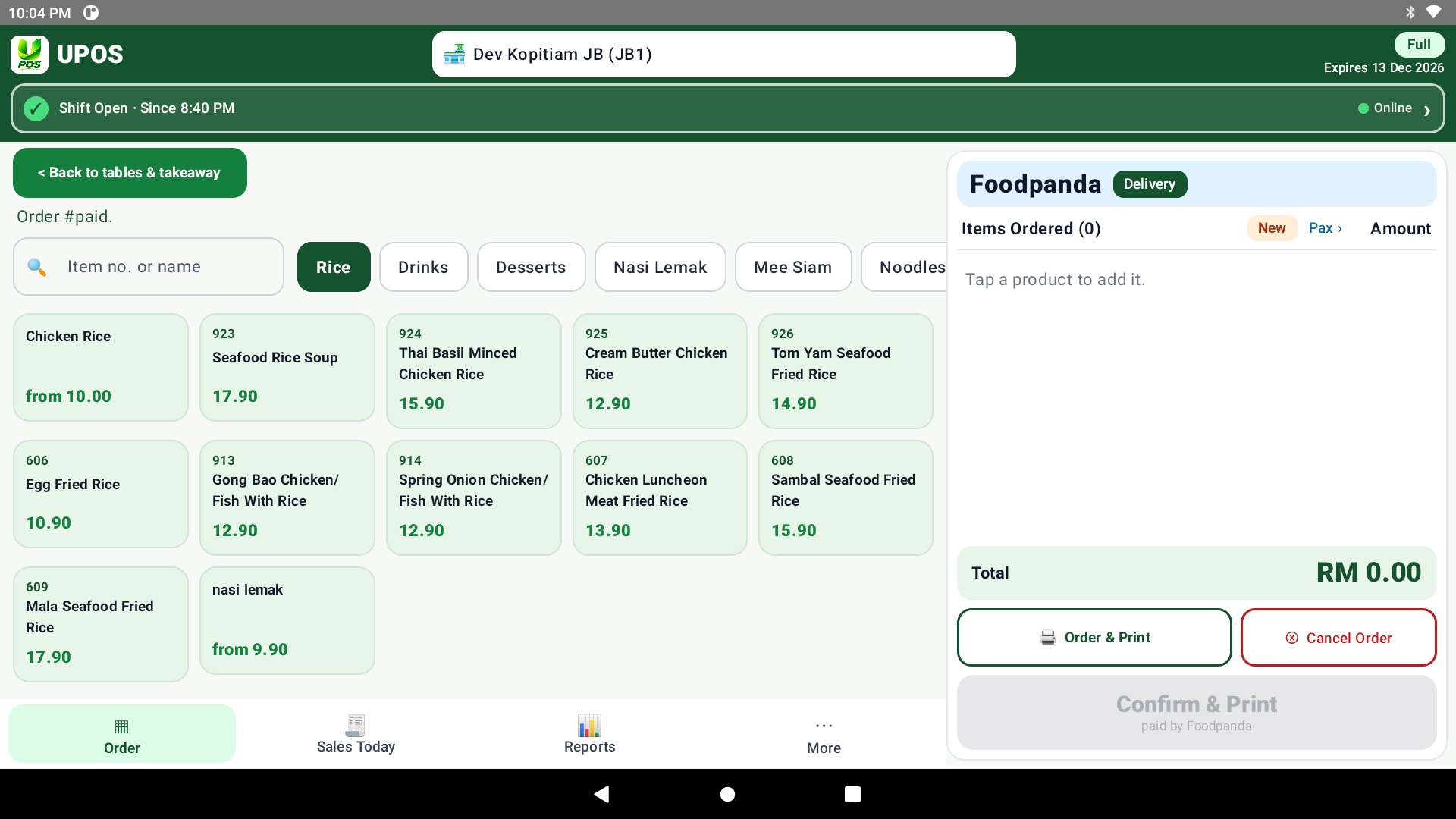
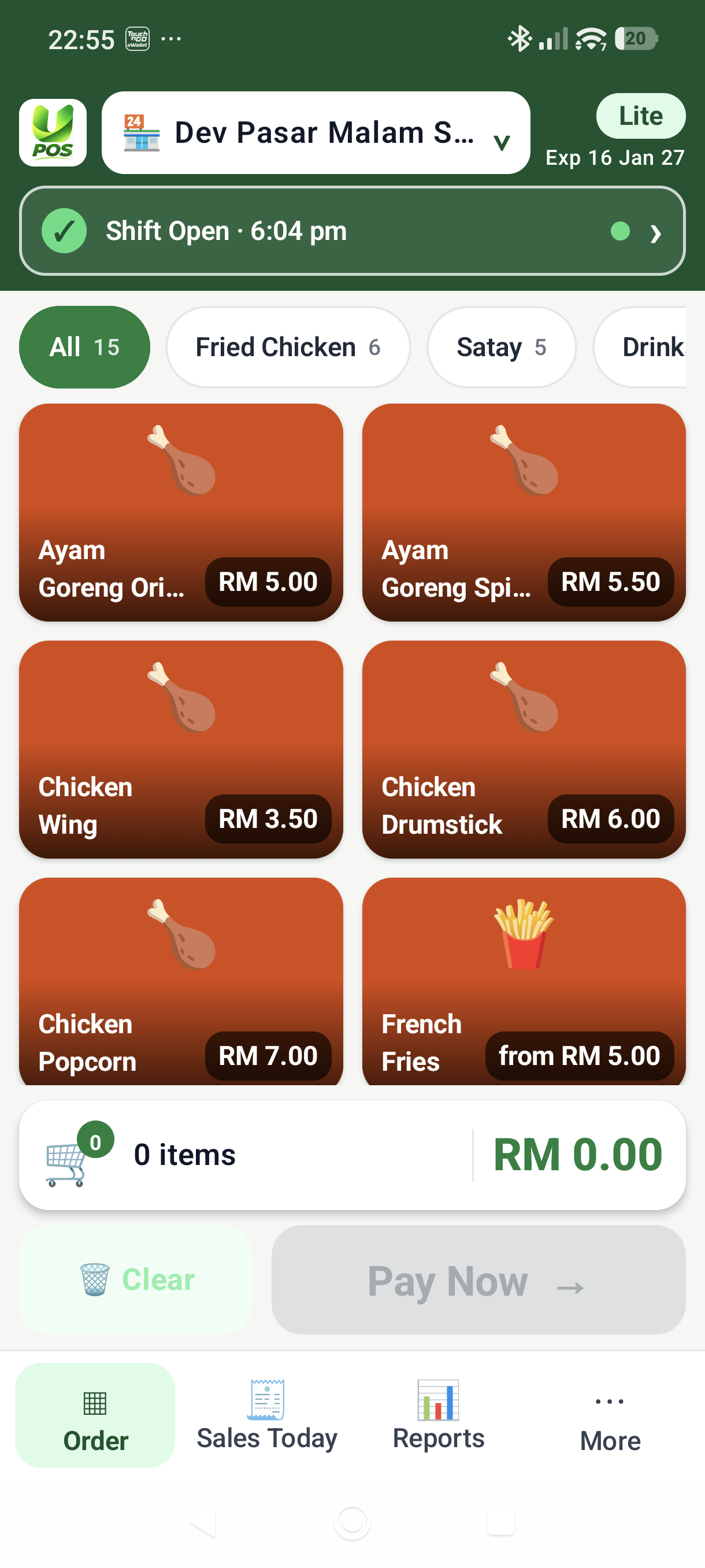
Table management
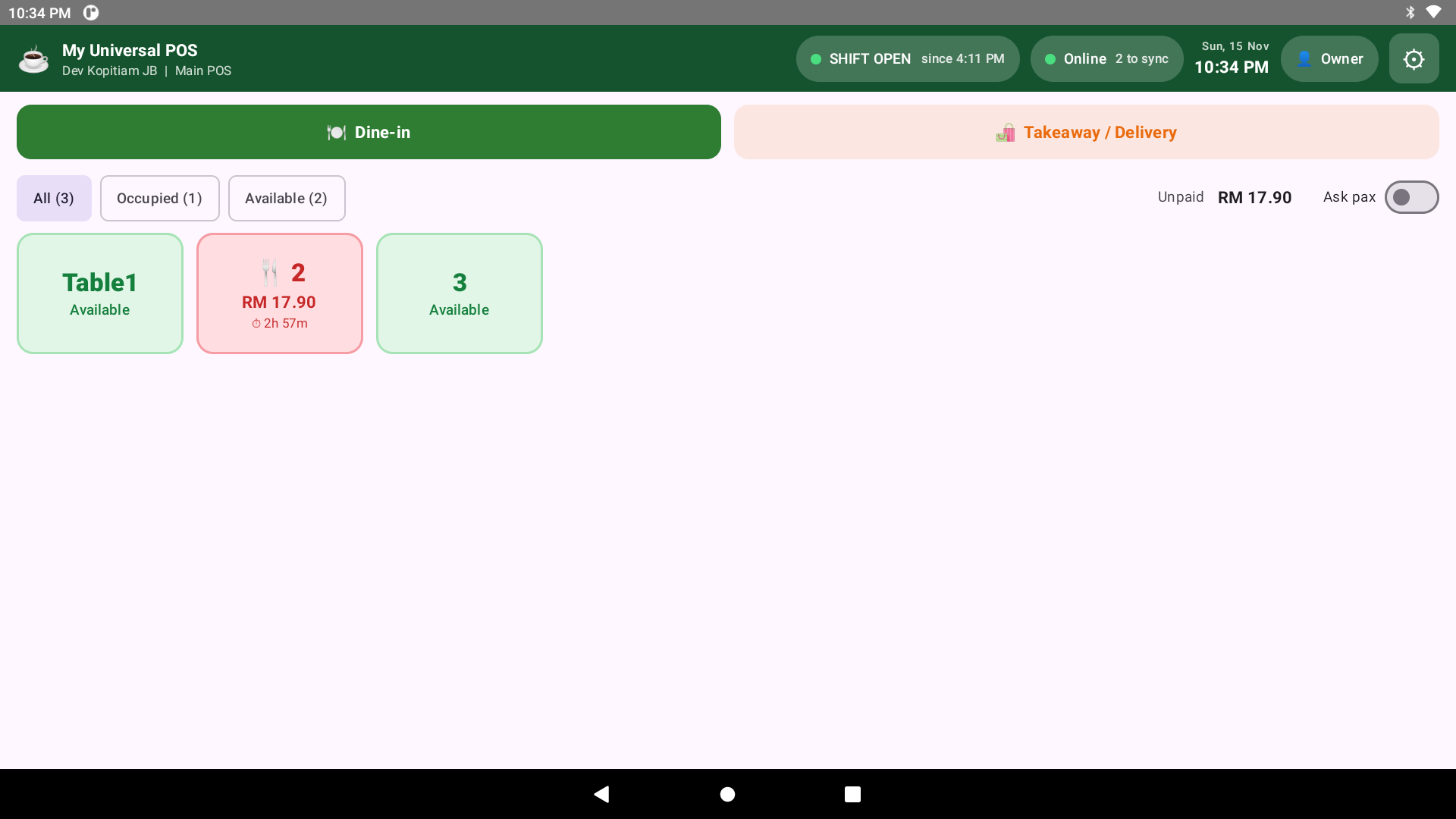
See every table at a glance: which are free, which are occupied, how much is unpaid and how long guests have been seated.
- Available and occupied tables with running totals
- Open a table, add items, send to the kitchen
- Leaving without ordering asks first, so drafts never mix between tables
- Optional pax (number of guests) per table
Sales and payments
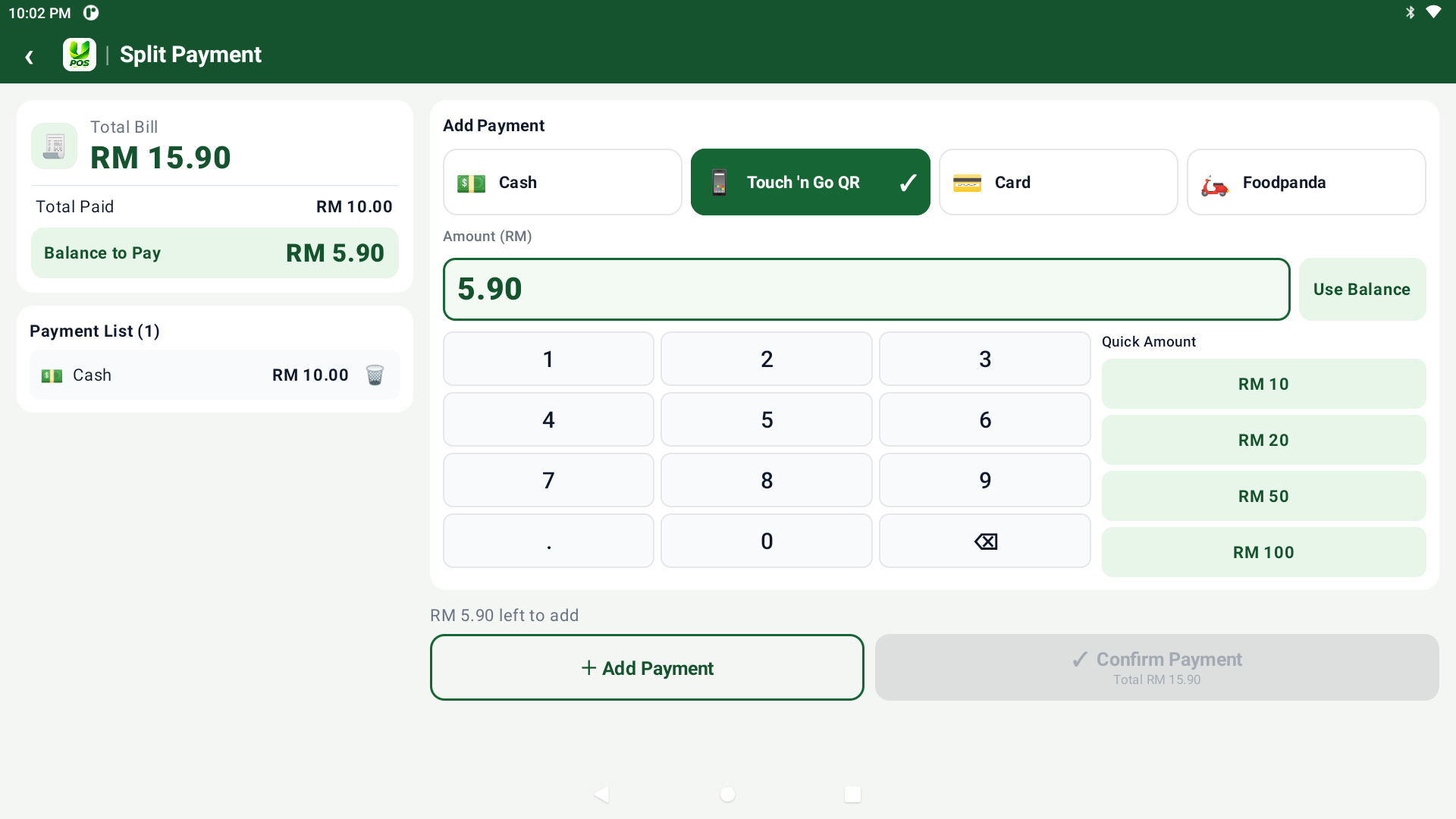
Accept the way your customers pay, and split a bill across methods.
- Cash with quick amounts and change
- QR (e.g. Touch 'n Go), card and other methods
- Split payment across cash and QR
- Delivery channels such as Foodpanda and GrabFood
- Protected against double taps: one payment, one receipt
Menu management
Set up categories, items, prices, item numbers, options and notes right on the POS.
- Categories and items with prices
- Item numbers for fast search
- Variants and options (e.g. size, add-ons)
- Quick notes for the kitchen
Kitchen and receipt printing
Orders print where they are made and receipts print at the counter.
- Order tickets to kitchen or drinks stations
- Receipts on the built-in printer of POS terminals
- Bluetooth receipt printers (58 mm and 80 mm)
- Reprints are clearly marked, and never add a sale
- Chinese item names print correctly
Daily closing and sales reports
Close the shift with a clear count, then look back over any week, month or year.
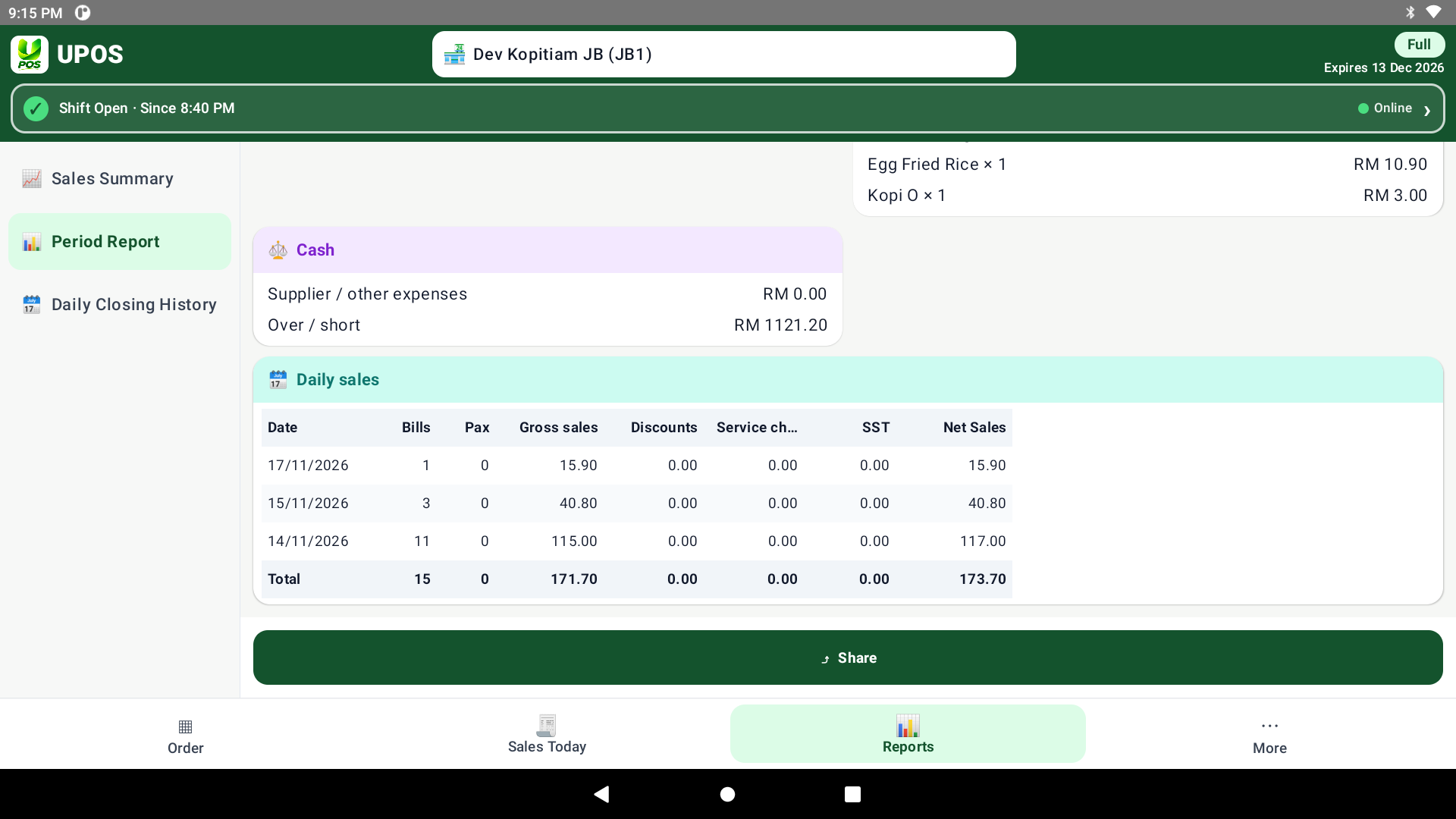
- Daily closing with expected cash, over/short and payouts
- Sales summary any time during the shift
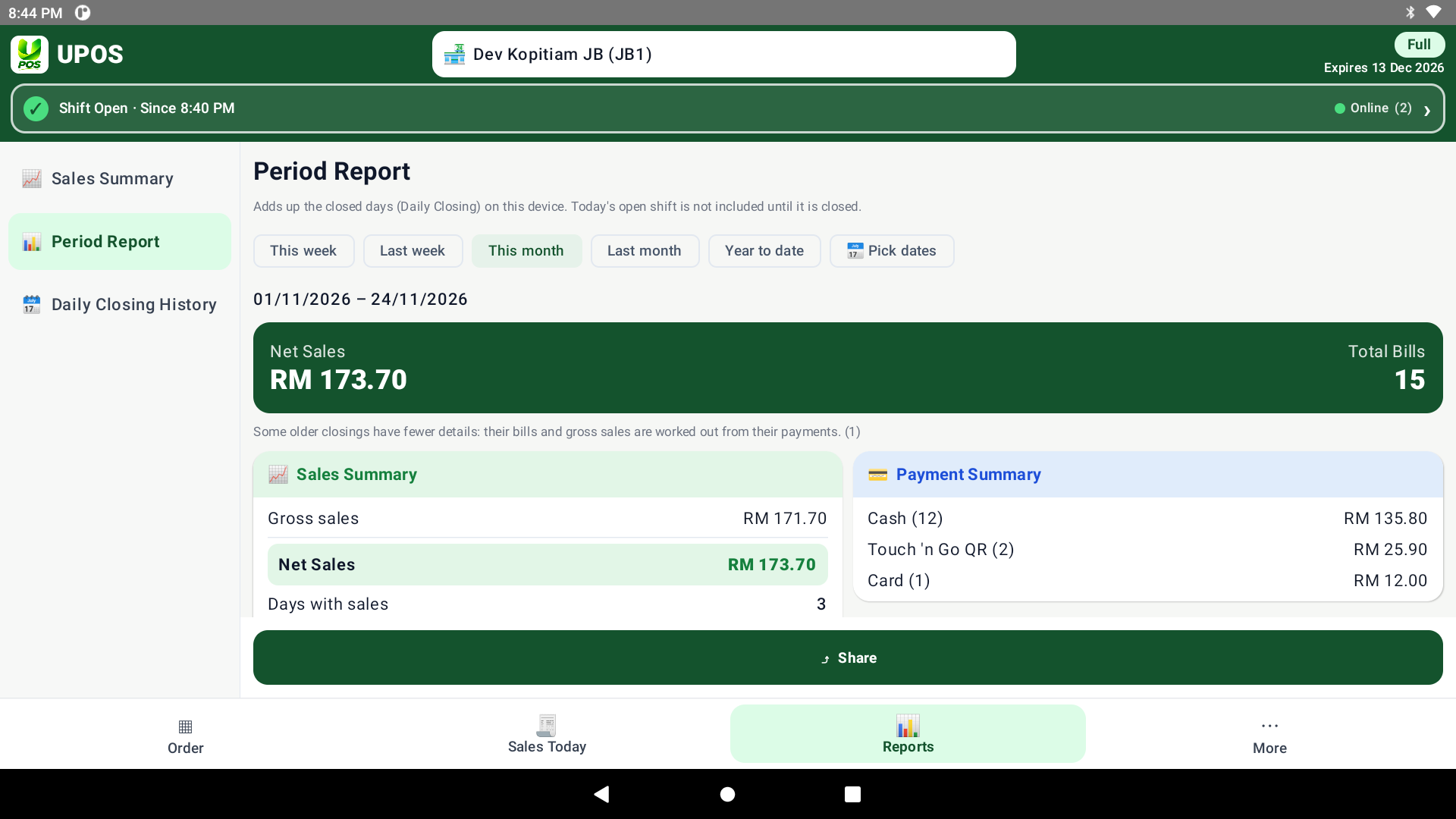
- Period report: this week, this month, year to date or any dates
- Daily sales table and best sellers
- Share reports as text, e.g. to WhatsApp
Offline operation
The internet can drop. Your counter keeps going.
- Take orders, pay and print without internet
- Everything is saved on the device first
- Sales sync to the cloud automatically when you are back online
- A forced app close does not lose or double a sale
Staff access and multi-outlet management
Give each person the access they need, across every outlet you run.
- Every staff member signs in with their own PIN
- Roles for cashier, manager and owner
- Manager approval for sensitive actions such as voids
- Switch between outlets; each keeps its own orders and reports
- English, Bahasa Melayu and Chinese
Try UPOS for Free
Experience all POS features with a free trial. No commitment required.